
Plan the week, and never write a shopping list again.
Farro is a weekly meal planner that writes the shopping list for you.


- PlanPut mealson the days.Paste a recipe's link or its ingredients, and it is in the week.
- UnpackEvery recipeopens up.Each ingredient comes out, scaled to how many that meal feeds.
- ShopOne list,by aisle.Two recipes that want an onion become one line that says two.
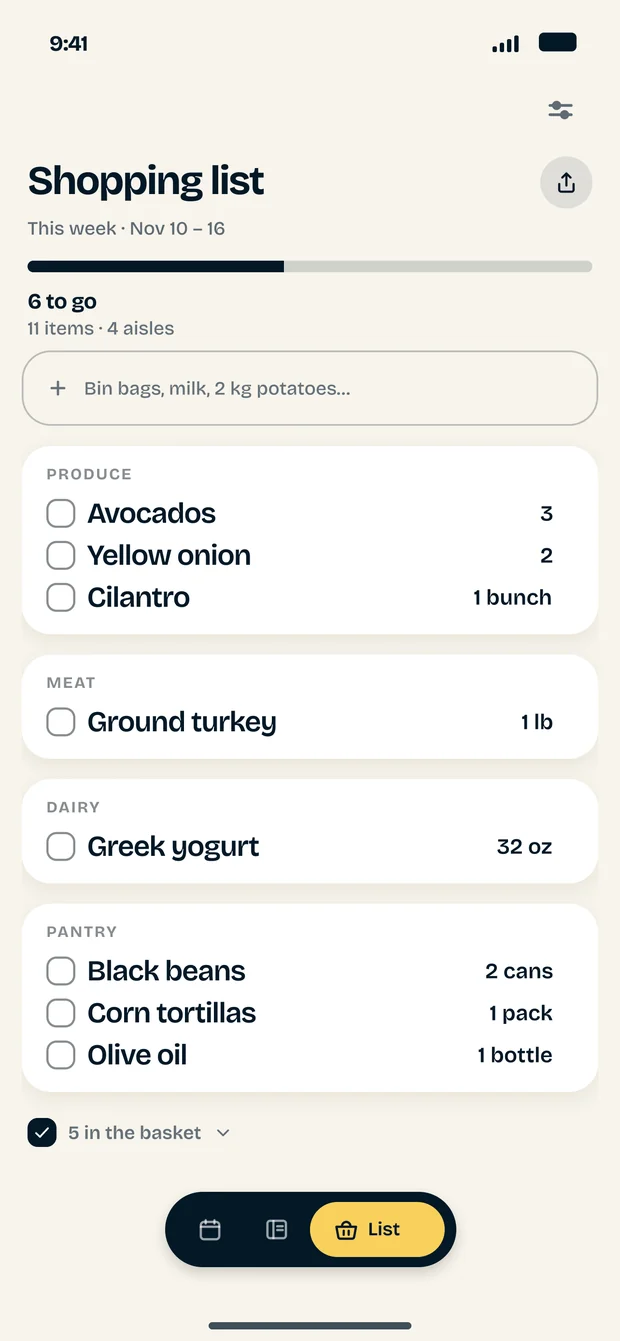
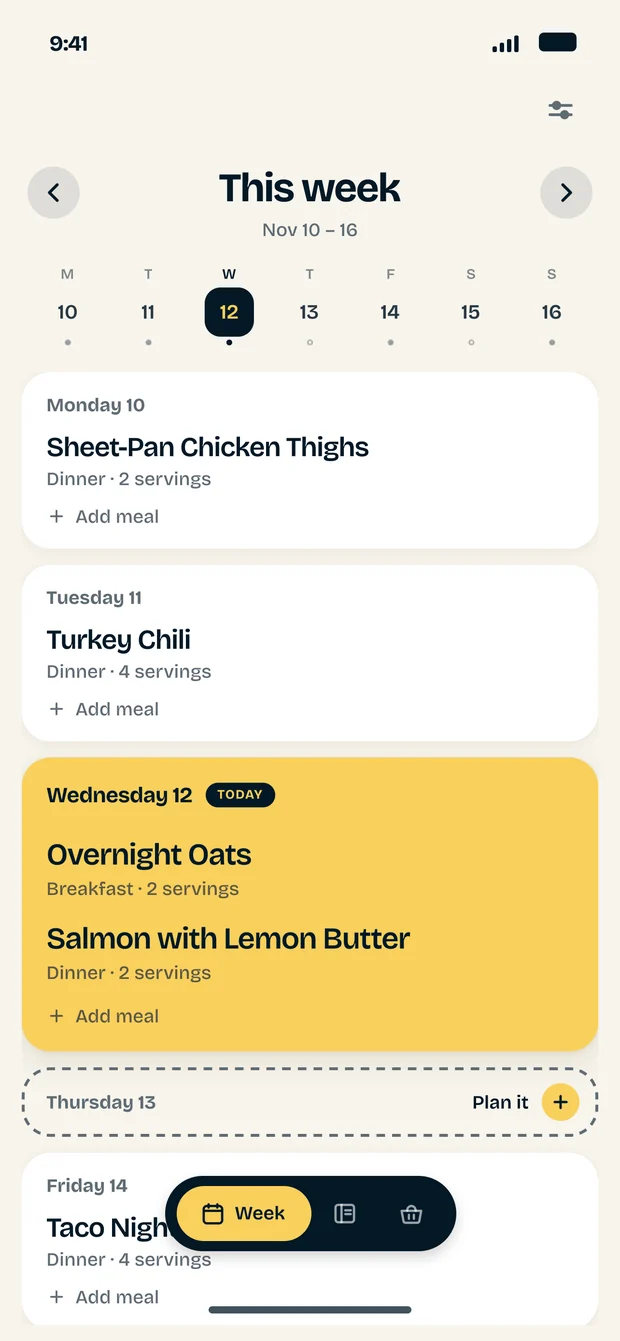
Change the plan and the list follows.
Switch a meal off and the list gives back exactly what it needed.
This week
Monday 10
Tuesday 11
Wednesday 12 Today
Friday 14
Shopping list
4 aisles
Produce
Meat
Dairy
Pantry
Nothing to buy. Put a meal back on the week.
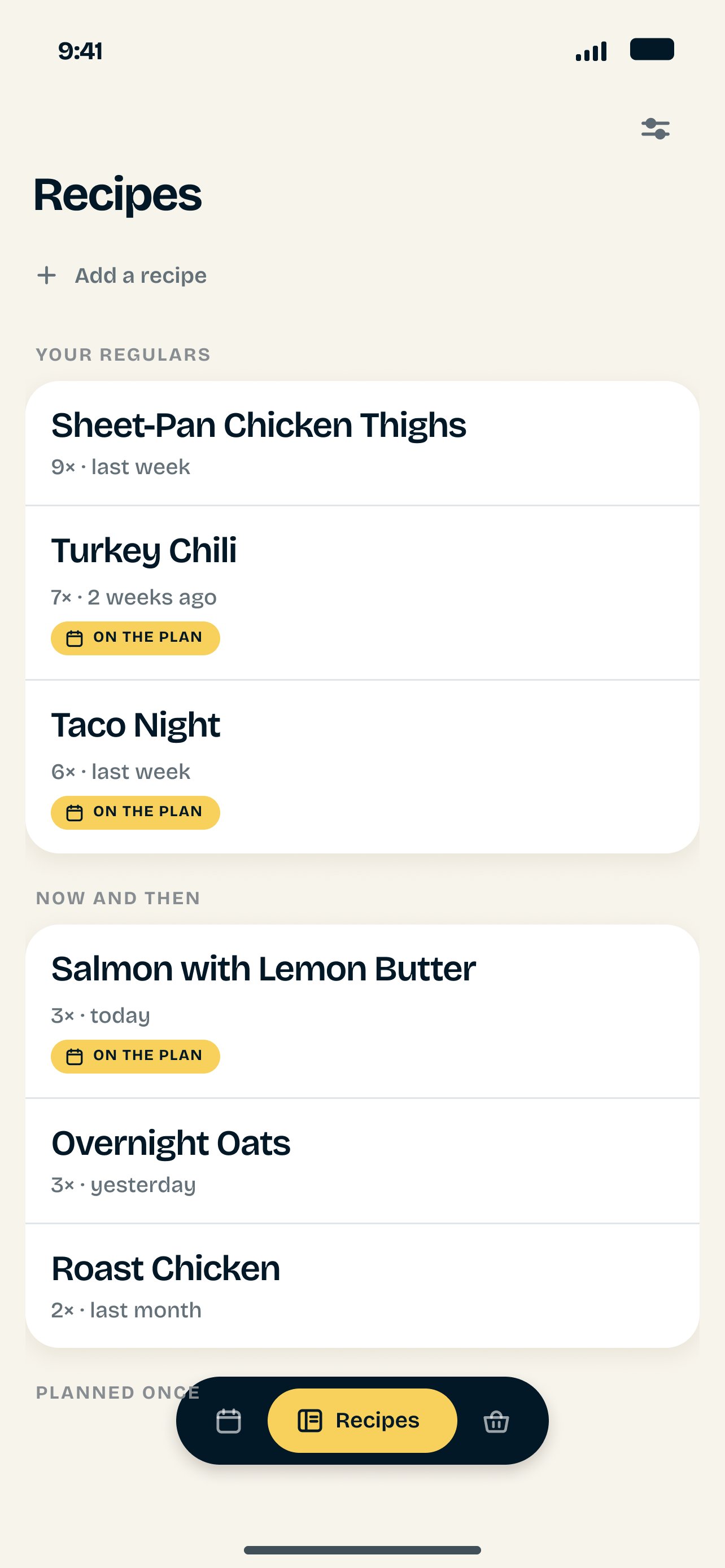
The recipes you save should feed your week.
You save recipes everywhere. A screenshot from a friend, a link in your bookmarks, a page you printed, the one your mother sent by email. Each one was a small promise: we should make this. Then it is time to plan the week, and none of them can be found. So the week starts from the same few meals, and the good ones stay where you left them.
A collection only feeds you if it lives in one place. Farro is that place. Paste a link or the ingredients, and the recipe sits next to every other one you kept, ready to search.
From there the week is a few moves. Put meals on the days and the shopping list writes itself: each ingredient scaled to the people at that table, the onion from two recipes on one line, everything grouped by aisle. Change the plan and the list follows. A week that worked comes forward whole.
You chose those recipes once. Farro makes sure you get to cook them.
Kitchen notes
Weeks of recipes built to share one shopping list, and how to plan seven days that survive a real Wednesday.

Grilled Cheese, and the Heat Stays Low
Bread gone gold and crisp outside, cheese melted all the way through — the whole trick is a pan cool enough to let the second thing happen before the first one burns. Choosing an appMeal planning apps that don't choose your meals for you
Most meal planners generate your week. A smaller group just remembers what you decided. Here is the difference, and which one you actually want. PlanningHow to meal plan a week that survives Wednesday
Most meal plans collapse mid-week, and it is never a discipline problem. A six-step method that expects the week to change.Questions worth asking
How does the automatic shopping list work?
Every meal you plan carries its ingredients. Farro adds them up across the week, scales them to how many people are eating, and groups them by supermarket aisle so you walk the shop once. You can add rows that belong to no recipe, and editing the list never changes the meals it came from.
Can I import a recipe from a website?
Yes, one recipe at a time. Paste a link and Farro reads the recipe data the page already publishes: the title, the servings and every ingredient line. You see exactly what it read and correct it before saving. If a page publishes none, Farro says so and opens the paste box instead. Cooking steps stay on the page they came from.
Who chooses the meals?
You do. Farro keeps the recipes you pick, puts them on the days you choose and turns them into the shopping list.
Can I reuse a week that worked?
Yes. Copy any week onto a new one and its shopping list writes itself again.
Where are my plans and recipes kept?
On your phone, which is why Farro opens instantly and still works in a shop with no signal. Importing a recipe from a link is the one thing that needs a connection. When you change phone, export everything to a file in Settings and import it on the new one.
Which phones does Farro run on?
iPhone on iOS 15.0 or later, and Android. Farro speaks English and Spanish, and switches between metric and imperial on the shopping list.
Plan it Sunday.
Cook it all week.
Ten minutes on a Sunday, and you walk into the shop with the whole week already written.